EliteExtant
Services
Work
Website
Tutorials
Achivements
Photography
Cinematics
Books
Canva Tutorials
Youtube
AI Projects
graphics
Blogs
Contact
How to update Ubantu on your System through System Settings
29th September 2021
1. Through System Settings
Steps
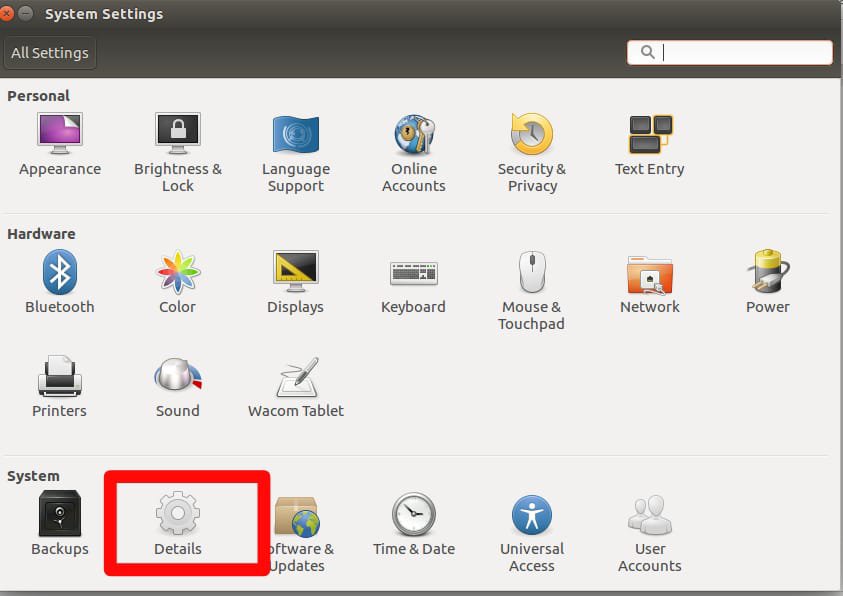
Go To System Settings.
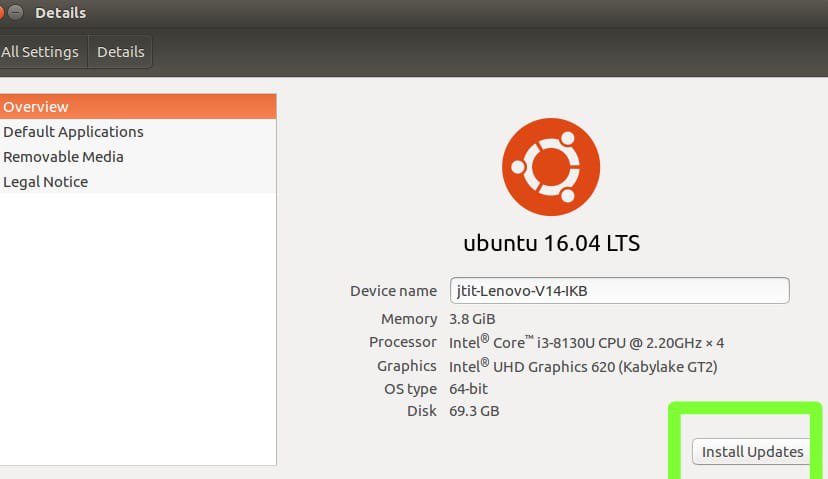
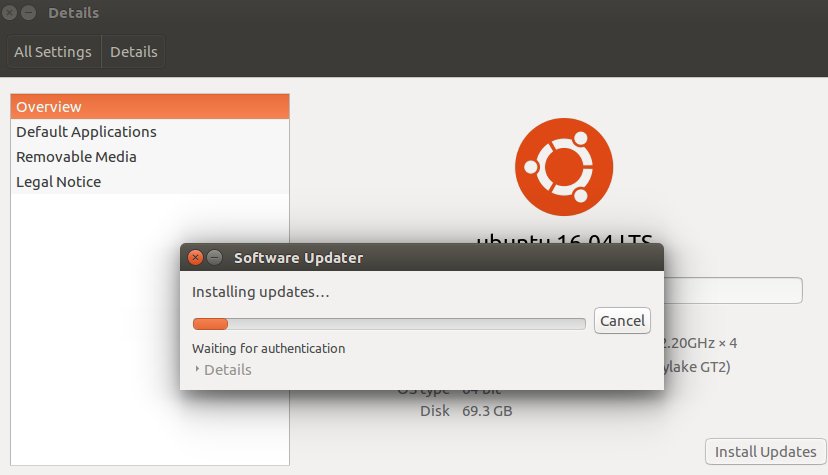
Go to Details.
Click on install Updates.
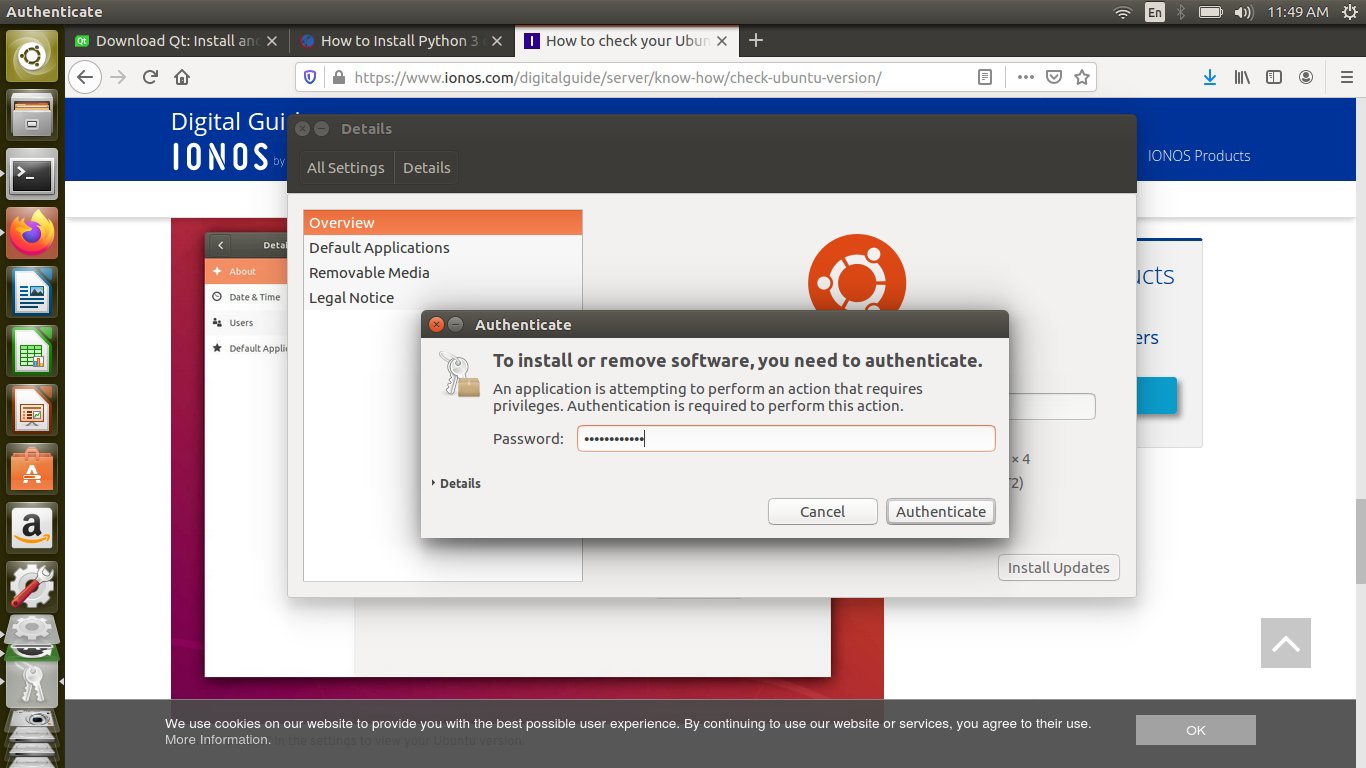
Enter Authentication Password.
System will Update.
Go to Details.
Click on install Updates.
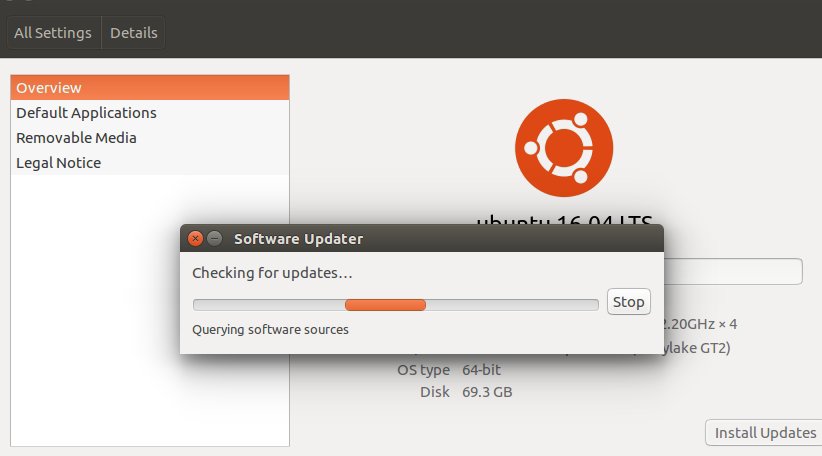
It will Check for latest Update.
Enter Authentication Password to proceed.
System will Update.
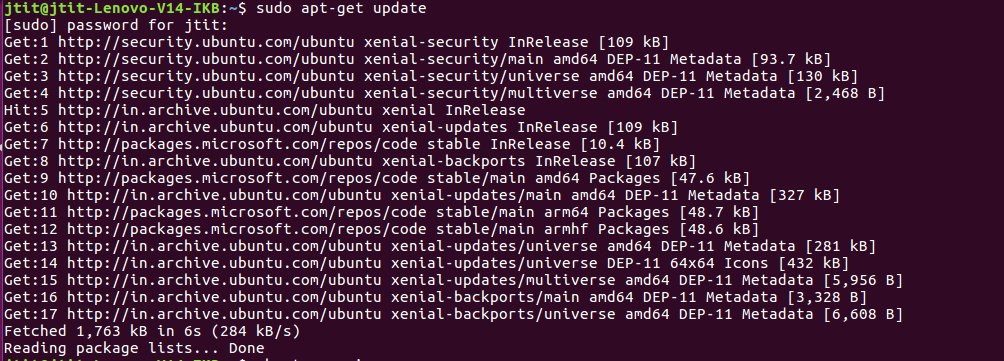
2. Through Terminal
Command
sudo apt-get update
Share this:
Click to share on Pinterest (Opens in new window)
Pinterest
Click to share on LinkedIn (Opens in new window)
LinkedIn
Click to share on WhatsApp (Opens in new window)
WhatsApp
Click to share on X (Opens in new window)
X
Click to share on Facebook (Opens in new window)
Facebook
Click to email a link to a friend (Opens in new window)
Email
Click to share on Telegram (Opens in new window)
Telegram
Like
Loading…
Privacy & Cookies: This site uses cookies. By continuing to use this website, you agree to their use.
To find out more, including how to control cookies, see here:
Cookie Policy
Loading Comments...
You must be
logged in
to post a comment.
Comment
Subscribe
Subscribed
EliteExtant
Sign me up
Already have a WordPress.com account?
Log in now.
EliteExtant
Subscribe
Subscribed
Sign up
Log in
Copy shortlink
Report this content
View post in Reader
Manage subscriptions
Collapse this bar
%d
Design a site like this with WordPress.com
Get started
 EliteExtant
You must be logged in to post a comment.